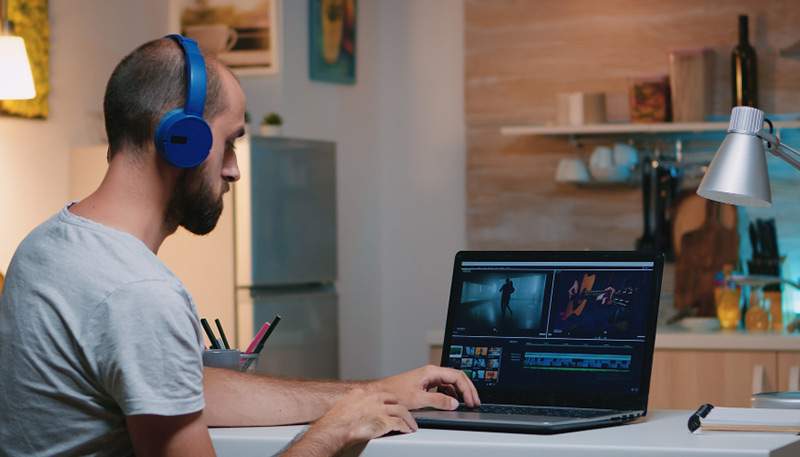
Everyone desires that movie-like appearance. gentle backgrounds. motion that occurs naturally. vibrant hues. videos that have the feel of a movie rather than merely a recording.
The simple truth is that setting up pricey cameras is more important when creating a cinematic video.
At a good videography institute, students learn this very early on: if you have the settings right, everything else falls into place.
Let’s examine the essential camera settings that genuinely give videos a polished appearance.
First, What Does “Cinematic” Actually Mean?
Slow motion and dramatic music aren’t often associated with cinematic.
Creating a cinematic video typically has:
- Film-like, organic motion
- Depth of field control
- Regular color and exposure
- Intentionally soft lighting
- Pure composition
It all begins within your camera.
1. Frame Rate: Establish the Film Basis
The majority of cinematic videos are recorded at 24 frames per second, or 24 frames per second. Why? due to the fact that this closely resembles how motion seems in movies.
- 24fps → cinematic, natural motion
- 30fps → more “video-like”
- 60fps → smooth, often used for slow motion
Beginner tip: Use 24 frames per second if you want to create a cinematic video.
Every videography institute instills this practice in its students from the very beginning.
2. The Golden Rule of Shutter Speed
Motion blur is controlled by shutter speed. The motion is jagged and too quick. It appears smeared and moves too slowly.
The rule of cinema: double your frame rate equals shutter speed.
- 24 frames per second -> 1/50 shutter
- 30 frames per second -> 1/60 shutter
- 60 frames per second → 1/120 shutter
Lock it after it’s set. It’s a common rookie error to change the shutter speed to correct brightness.
3. Aperture: Manage Depth Rather Than Just Light
The cinematic feel is greatly influenced by aperture.
- Wide aperture (f/1.8–f/2.8): cinematic depth, subject separation, and a soft background
- Narrow aperture (f/5.6–f/8): More frame detail, documentary style
Select the aperture using:
- The amount of backdrop blur you desire
- The separation between the background and the subject
Intentional blur, not accidental blur, is frequently used in cinematic videos.
4. ISO: Maintain Cleanliness
ISO regulates brightness, however a higher ISO eliminates the cinematic effect by introducing noise.
The best method:
- Begin with the lowest ISO that is feasible.
- Only increase when there is inadequate lighting.
- Before pushing the ISO, use lights or reflectors.
Videos that look professional are crisp, well-managed, and free of grain.
Students at a videography institute soon discover that lighting may solve issues that ISO shouldn’t.
5. Picture Profile: Pay Attention
Color and contrast are determined by the photo profile of your camera.
For cinematic effects:
- If available, use log or flat profiles.
- Slightly lessen the harshness
- Steer clear of profiles that are too contrasty.
Flat profiles are ideal for color grading later because they retain details in highlights and shadows.
Cinematic-friendly profiles are now supported by even entry-level cameras. All you have to do is understand how to use them.
6. White Balance: Always Lock It
One of the main causes of amateur videos’ amateurish appearance is auto white balance.
Constantly:
- Manually adjust the white balance
- Align it with your source of light.
- Maintain consistency throughout the shots.
The cinematic effect is immediately broken when color temperatures are changed in mid-video.
There is no way around this restriction when it comes to professional videography instruction.
7. Focus: Most of the Time, Manual Outperforms Auto
Videos with a cinematic atmosphere are deliberate, and attention is crucial.
- Steer clear of focus hunting all the time.
- When feasible, use manual focus.
- Pre-focus for static pictures and interviews
Compared to abrupt focus leaps, smooth, intentional focus changes appear far more professional.
8. Lighting: The Unnoticeable Environment
Lighting adjusts to your settings, but it’s not a camera dial.
What is meant by cinematic lighting?
- Directional (from a single primary side)
- kind rather than harsh
- Managed by shadows
The performance of your camera settings is significantly enhanced by even simple illumination configurations.
For this reason, lighting is taught with camera handling at videography institutes rather than independently.
9. The Camera Is Where Color Grading Begins
Cinematic color is shielded during filming rather than added afterwards.
Proper configurations:
- Keep the highlights
- Prevent excessive exposure
- Maintain neutral color schemes.
Camera discipline is the first step to proper color grading.
Typical Errors That Detract from the Cinematic Look
To be honest, the majority of novices do these:
- Shooting everything at high frame rates
- Changing the shutter speed for brightness
- Ignoring white balance
- Using auto mode
- Over-sharpening footage
Avoiding these errors raises the quality of your videos right away.
Why Settings Alone Aren’t Enough (But Still Essential)
Settings won’t take the place of:
- Narrative Writing
- Placement of subjects
However, even brilliant ideas appear amateurish without the proper conditions.
For this reason, a good videography institute prioritizes technical control over originality.
How Cinematic Confidence Is Developed by Practice
The actual change occurs when:
- You quit speculating about settings.
- You adhere to a standard setup procedure.
- You can see why anything appears to be cinematic.
Take a look at this workflow:
- Determine the frame rate
- Lock the shutter speed.
- Select an aperture for the appearance.
- For exposure, adjust the ISO.
- Adjust the white balance.
- Examine the lighting
Continue until it becomes second nature.
Conclusion
It’s not magical to create a cinematic video. It’s a method.
Professional-looking videos are the product of careful planning, not luck. Once you know how frame rate, shutter speed, aperture, ISO, and color interact, your films won’t feel random.
One thing is certain whether you study individually or at a videography institute in Kolkata:
When your settings are right, your storytelling finally gets the attention it deserves.
Then, instead of being clips, your films start to seem like movies.